
Diagrams with Excalidraw
This page shows how to install the optional Excalidraw plugin, ask Pi for a diagram, edit it by hand, and get it out as a file or image.
Excalidraw is an official plugin that is not bundled and not installed automatically. Once enabled, Pi can draw architecture diagrams, flowcharts and concept sketches into the conversation, and the Edit button opens the real Excalidraw editor, not a flattened picture. The editor runs locally in your browser; you don't need an Excalidraw account.
1. Install and enable the plugin
In the sidebar, click Plugins.
Under Official plugins, find Excalidraw (Official) (its status reads Not installed · Disabled) and click Download.
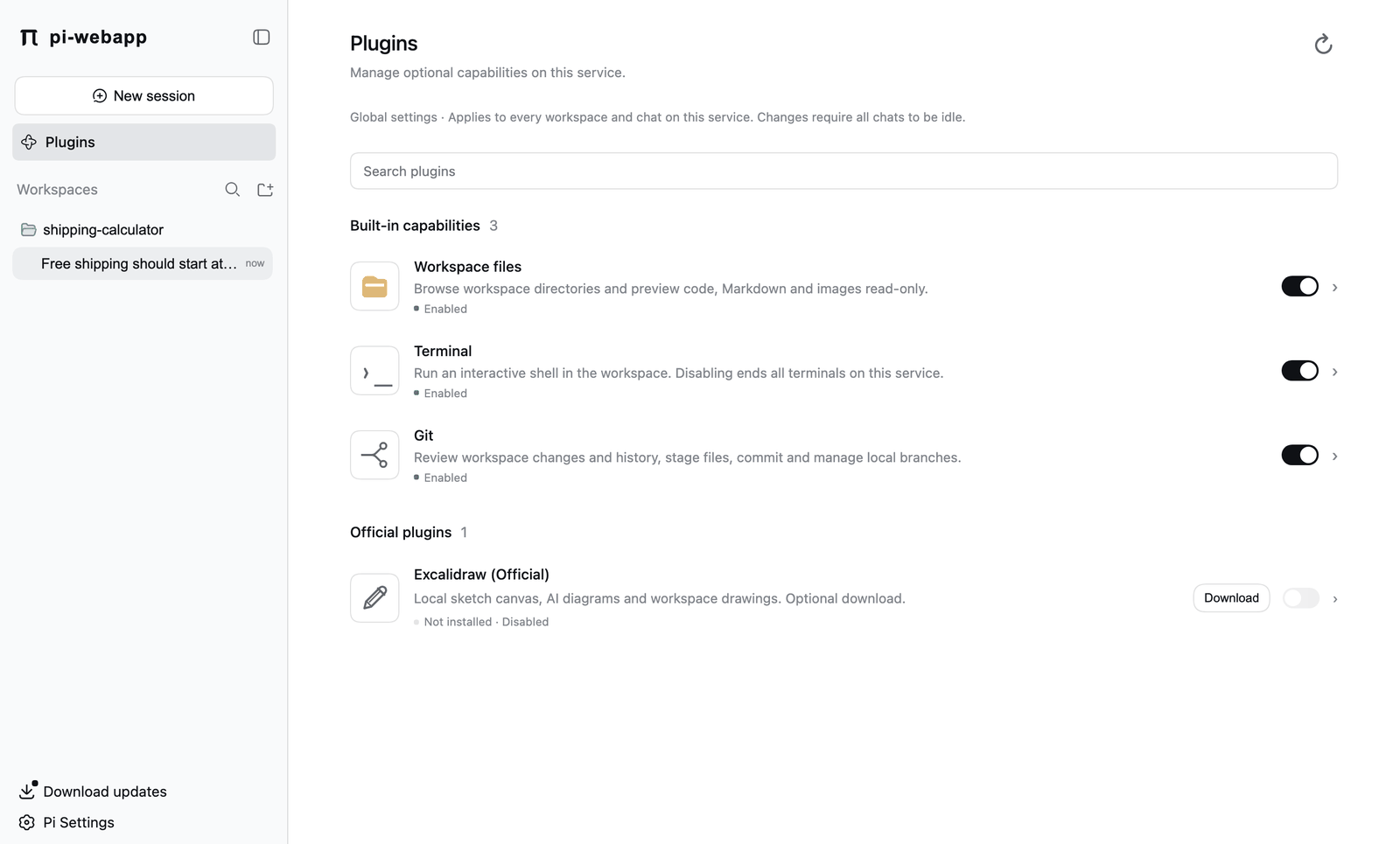
Wait for the status to change to Installed · Disabled and a version number. This needs network access to npm; on a fresh machine it took about 20 seconds.
Turn on the switch at the right of the row. The status becomes Installed · Enabled.
Enabling needs every chat to be idle. The switch shows the state the service confirmed, not what you clicked. Click the row for details: the package name (@chengzhiyi/pi-excalidraw), the installed version, Check updates, and Uninstall. Excalidraw needs no further configuration.
2. Ask for a diagram
Describe what you want in the normal conversation. You don't need to name a tool:
Draw a diagram showing how the browser, the local service, Pi and the model provider connect.The drawing appears in the reply as a card labelled create view, with View parameters to inspect what Pi sent and an Edit button on the drawing.
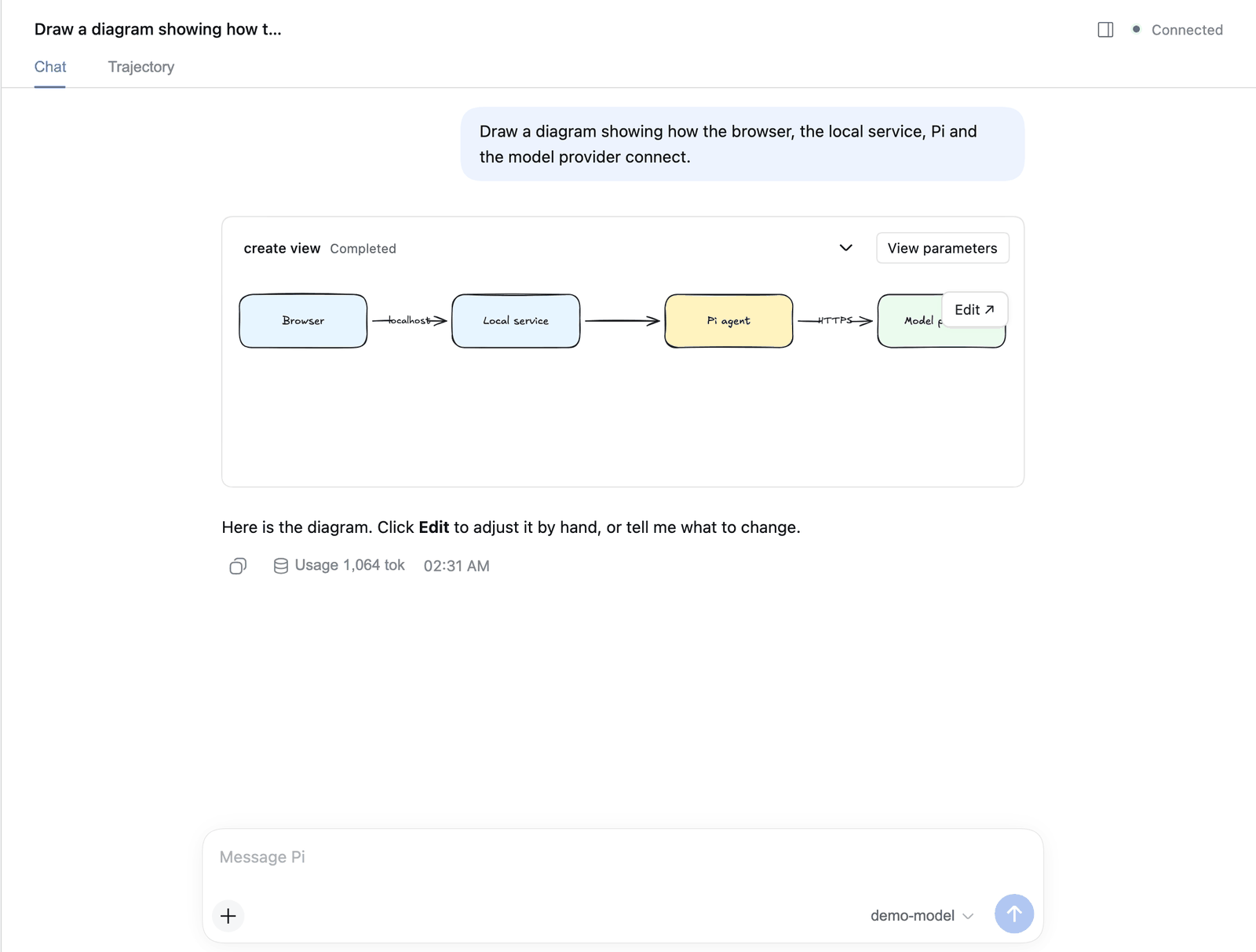
You can keep asking for changes in the conversation ("add a cache between Pi and the provider", "use left-to-right layout"). New drawings need no approval step.
When you ask Pi to change a drawing that you have also edited by hand, the proposal arrives as a candidate that you accept with Apply edits or reject with Keep original, so Pi's change can't silently overwrite yours. If you edit by hand after a candidate was proposed, the old candidate is dropped rather than applied over your edit.
3. Edit by hand
Click Edit. The native Excalidraw canvas opens in the right sidebar with its normal toolbar: select, rectangle, diamond, ellipse, arrow, line, freehand, text, eraser and more shapes. You can move shapes, rewrite labels, change colors and use native undo and redo.
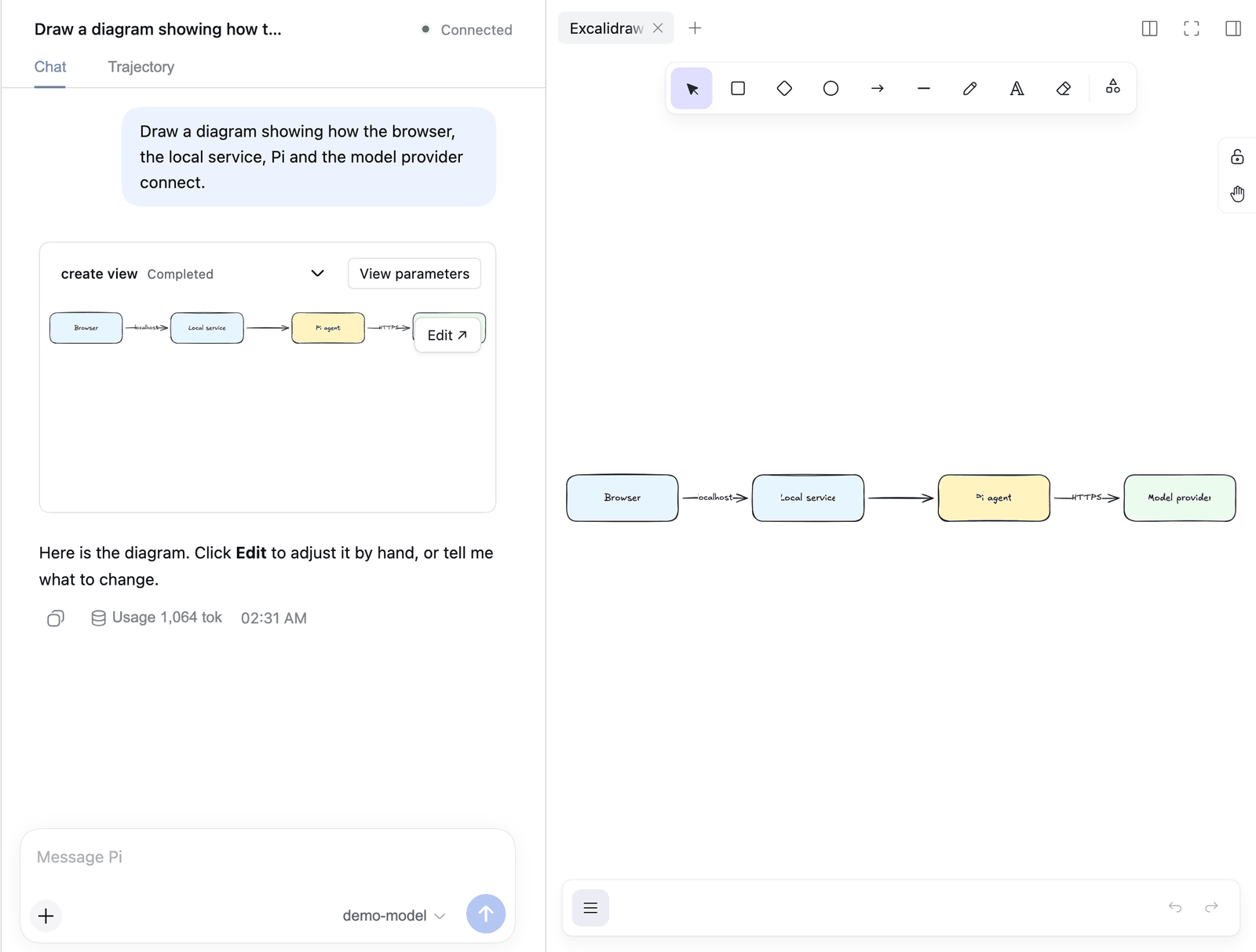
The right sidebar's start page also has an Excalidraw entry (Editable drawings). It opens a blank canvas, and works without any model.
4. Save and export
The menu at the bottom left of the canvas has:
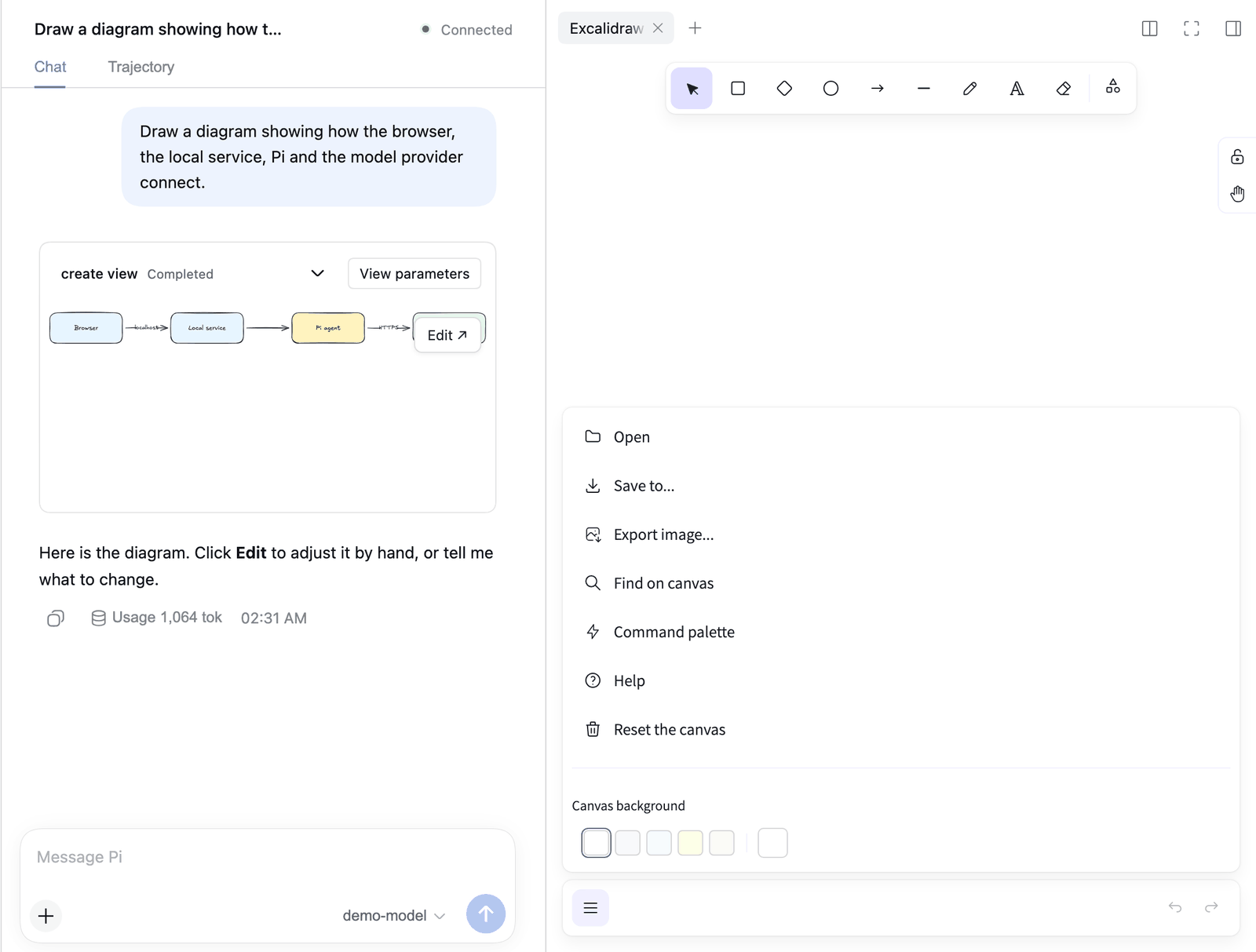
| Item | What it does |
|---|---|
| Open | Load a .excalidraw file. This replaces the current canvas, so save first. |
| Save to… | Saves an editable .excalidraw file through your browser, so it lands in your downloads folder. |
| Export image… | Exports PNG or SVG, or copies to the clipboard. Choose a scale of 1×, 2× or 3×, a background, dark mode, and whether to embed the scene so the image can be re-opened as a drawing. |
| Find on canvas, Command palette, Help | Standard Excalidraw tools. |
| Reset the canvas | Clears the canvas. |
Keep important drawings as files
Move the downloaded .excalidraw file into your project if you want it versioned with your code. In the plugin version this guide was checked against (0.1.3), saving into the workspace folder directly from the editor isn't offered. Browser-side backups and the service's own drawing state are for recovery, not for archiving.
Limits and good to know
- Images, links, real-time collaboration and exporting a PNG without a browser are not supported.
- Drawings belong to the chat that created them. Disabling or uninstalling the plugin first saves and closes open editors, and stops if a save fails. Your saved drawings and plugin data are kept, and reinstalling brings them back.
- Updating the plugin waits for open editors. If you choose to update immediately, the editor's native undo history is reset, and pi-webapp warns you first.
- If an editor view is open and unsaved when you stop the service,
pi-webapp stopcan refuse. See Troubleshooting. - Drawings created by older pi-webapp versions, before Excalidraw became a plugin, are migrated when you install the plugin. Their original files are left in
pi-web/diagrams/(Files and directories).
Next: Models and providers.